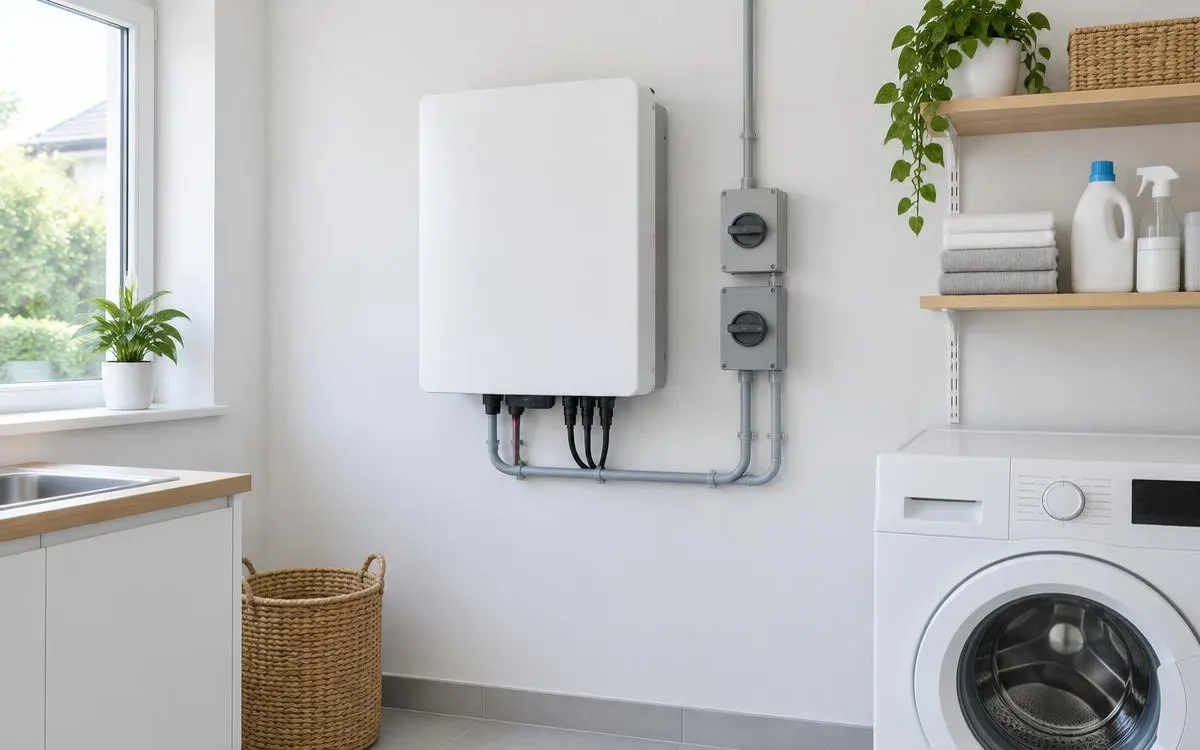
Home batteries normally include their own battery management system, rather than a separate homeowner-selected controller. This guide is for households comparing complete systems and their monitoring features. It explains protection, readings and communication without turning specifications into a promised performance result. Use it to prepare questions for your installer, not to select replacement electronics yourself.
For the broader overview, read our guide: Battery Management Systems.
Independent guide. We are not a lender or a government body. Always check current scheme rules with the official provider.
1. Understand balancing and protective controls
The battery management system supervises the cells within the storage unit during normal operation. Cell balancing helps keep their charge levels aligned, rather than letting differences grow unchecked. Ask how the proposed equipment manages over-charge, over-discharge, temperature and current limits. These protections belong to the complete product design. A list of protective features does not prove that every installation location or operating arrangement is suitable.
Ask the installer which protective events pause operation and which require professional attention before restarting. Request the owner manual and a clear explanation of visible alerts at handover. Protection is not permission to ignore heat, damage or repeated warnings. Never open the enclosure to inspect cells or bypass a protective limit. Compare the supplier’s explanation with the actual documentation, rather than relying on an unexplained claim that the system is safe.
2. Separate charge readings from battery condition
State of charge describes the estimated energy remaining relative to the battery’s operating range. State of health describes its estimated condition compared with an earlier or reference condition. Neither reading tells you everything about available power, household demand or future service life. Ask how the manufacturer calculates and displays both values. Record whether the app shows usable energy, a percentage estimate or another representation before comparing screens from different systems.
Monitoring access also needs practical checks beyond the appearance of the app. Ask who owns the account, whether remote access requires internet connectivity and how historical records are retrieved. Confirm whether fault notifications reach you automatically or only appear when you open the display. Check what remains available if a subscription or internet service changes. The installer should explain these conditions without making a particular app a substitute for professional fault diagnosis.
3. Check communication and ongoing support
The BMS and inverter need compatible communication so charging and discharging follow the intended controls. Ask the installer to confirm the complete equipment combination, including any existing solar inverter. Request written confirmation rather than assuming matching connectors establish compatibility. Check how communication faults appear and which company handles them. Your comparison should cover the whole system because homeowners normally choose an integrated battery, not an independent BMS specification.
Ask who authorises firmware updates and whether the installer coordinates changes across connected equipment. Keep the product specification, approved configuration and fault contact together after handover. Request an explanation of any proposed replacement controller before accepting work. A different monitoring feature is not automatically a reason to replace functioning equipment. Choose a documented system with clear support responsibilities, then let qualified professionals manage internal settings and repairs.
Checklist
- I have checked cell balancing and protective controls.
- I understand charge and health readings.
- I know how alerts and account access work.
- I have written inverter compatibility confirmation.
- I know who manages updates and faults.
Frequently asked questions
Do I choose a separate BMS for my home battery?
Home batteries normally have an integrated controller. Compare the complete system and ask the installer about its protections, monitoring and approved equipment combinations.
Does my charge reading show battery health?
No. Charge estimates describe the energy currently available within the operating range. Health estimates describe condition, using the manufacturer’s own method and reference.
Can I assume my inverter communicates with any battery?
No. Ask for confirmation of the exact equipment combination. Communication and control compatibility need checking as part of the installation design.
What should I do when my app reports a BMS fault?
Record the alert and contact your installer using the owner instructions. Never open the enclosure or bypass protective controls to restore operation.
So you can compare integrated controls and monitoring without confusing individual features with complete system suitability.
WHLS Editorial Team
Our editorial team writes independent, plain-English guides on home energy finance. We review guides when scheme rules change.
References
- Energy Saving Trust – Energy storage (opens in a new tab)
- GOV.UK – Domestic battery energy storage systems safety review (opens in a new tab)
- Energy Saving Trust – Off-grid (opens in a new tab)
- GOV.UK – Notice of approved grant categories and values for the Boiler Upgrade Scheme (opens in a new tab)
- Energy Saving Trust – Boiler Upgrade Scheme (opens in a new tab)
- MoneySavingExpert – Warm Homes Loan Scheme news (October 2026) (opens in a new tab)
- Financial Conduct Authority – Financial Services Register (opens in a new tab)
- MCS – Find an installer (opens in a new tab)
- Energy Saving Trust – Warm Homes: Local Grant guide (opens in a new tab)
- Home Energy Scotland – Grants and loans (opens in a new tab)
- MCS – Home Energy Scotland Grant and Loan (opens in a new tab)
- Energy Saving Trust – Welsh Government Nest scheme (opens in a new tab)
- Energy Saving Trust – Consumer protection (opens in a new tab)
- RECC – Renewable Energy Consumer Code (opens in a new tab)
- HIES – Home Insulation and Energy Systems (opens in a new tab)