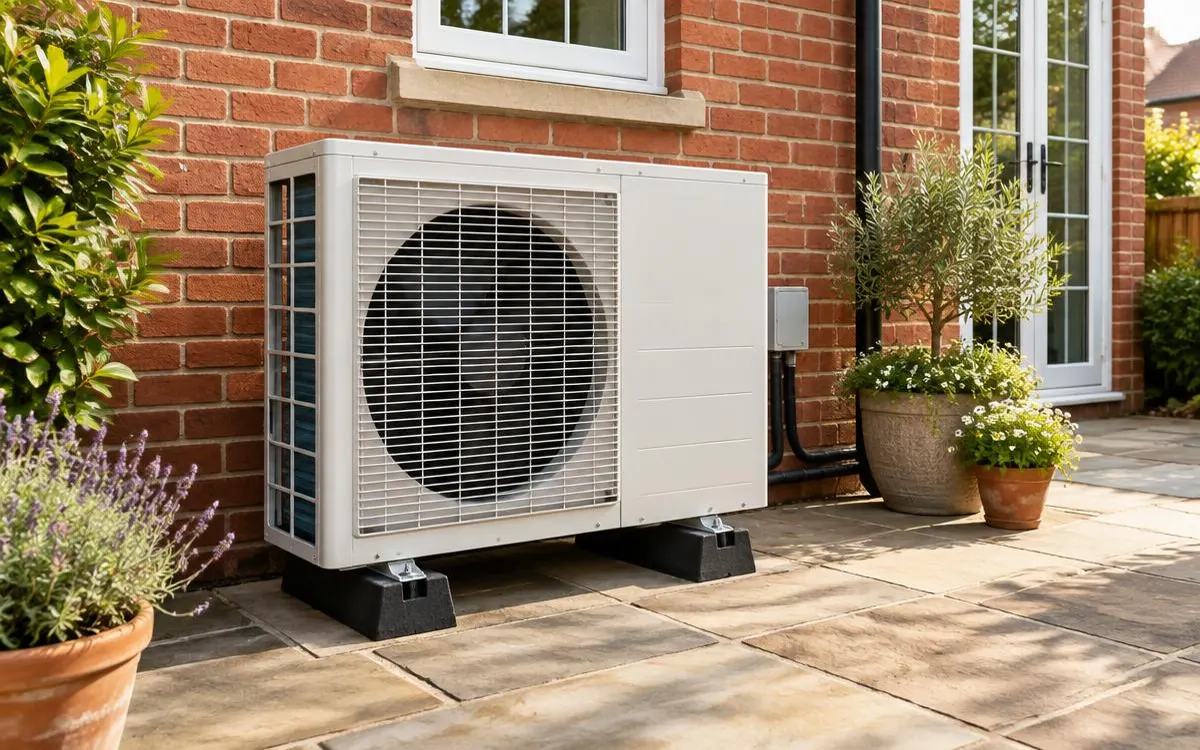
Lower running costs start with a suitable design and controls you understand, not a promised saving. This guide is for homeowners reviewing how an installed air source heat pump operates. It covers heating settings, building improvements and electricity choices in practical terms. Follow your installer’s instructions and resolve faults before changing settings to pursue a lower bill.
For the broader overview, read our guide: Air Source Heating.
Independent guide. We are not a lender or a government body. Always check current scheme rules with the official provider.
1. Review the heating settings with your installer
Water-based heat pumps can operate efficiently at lower flow temperatures when the home and heat emitters suit the design. Ask your installer to explain the intended setting and how it responds to household needs. Do not turn it down blindly if rooms are already too cold. Check whether radiator performance or a design issue needs attention instead. Your controls should reflect a suitable system rather than conceal an unresolved installation problem.
Steady running can help a suitable system maintain comfort without repeated abrupt temperature changes. Weather compensation adjusts the heating response according to outside conditions where the system supports it. Ask how your installed controls use that feature and which adjustments are intended for owners. Record the agreed settings so you can explain later changes to the installer. Avoid copying another household’s schedule without understanding differences in equipment and building requirements.
2. Reduce unnecessary demand and keep equipment maintained
Insulation and draught-proofing can reduce the heating demand of a home when improvements are suitable. Ask which measures are relevant to your property and how they affect the heating design. Do not block ventilation or treat every suggested improvement as a compulsory purchase. If significant work changes your home, discuss whether controls or the design need review. Keep the building improvements and equipment adjustments part of one clear plan.
Regular servicing helps identify operating problems and can be required by manufacturer warranty terms. Follow the safe owner checks explained at handover, including keeping the outdoor unit visibly clear. Report repeated alerts or changes in performance rather than compensating with unfamiliar settings. Ask the engineer to explain findings and any recommended work. Maintenance records make it easier to distinguish a developing fault from a change in household use.
- Ask for the intended flow-temperature and control plan.
- Check insulation and draught-proofing suitability without blocking ventilation.
- Keep the unit clear through permitted owner checks.
- Report faults and retain servicing records.
3. Compare electricity choices against real use
Time-of-use tariffs charge differently at different times under the supplier’s terms. They can suit some households, but assess how heating, hot water and other electricity use fit the actual periods. Compare the complete terms rather than a headline cheap period. Do not assume you can move all heating demand without affecting comfort or system operation. Ask your installer how the controls support any proposed schedule before changing it.
Solar panels and batteries can work alongside a heat pump, subject to a compatible design and household use. Solar generation varies, so it does not supply every heating need automatically. Battery operation and charging choices also need assessment rather than a promise of free heating. Review monitoring information to understand when your household uses electricity. Keep any equipment purchase separate from unsupported savings claims and request a clear explanation of the proposed arrangement.
Checklist
- I understand my installer’s recommended settings.
- I have reviewed suitable demand-reduction improvements.
- I follow safe maintenance checks and report faults.
- I have compared complete tariff terms against my use.
- I have checked any solar or battery proposal without assumed savings.
Frequently asked questions
Should I always lower my flow temperature?
Ask the installer what suits your design. Do not reduce it blindly when rooms are cold or the system has unresolved operating problems.
Will my time-of-use tariff automatically lower bills?
No. Assess the complete terms and when your household uses electricity. Check whether proposed schedules suit comfort and your installed controls.
Can my solar panels supply all heating demand?
Do not assume that. Generation varies and household demand needs a compatible design. Ask how solar, storage and the heat pump work together.
What should I check before changing my controls?
Read the handover guidance, record existing settings and ask the installer about unfamiliar adjustments. Report repeated faults rather than trying to hide them.
So you can review running costs through informed operation without relying on promised savings or unsafe adjustments.
WHLS Editorial Team
Our editorial team writes independent, plain-English guides on home energy finance. We review guides when scheme rules change.
References
- Energy Saving Trust – Air source heat pumps (opens in a new tab)
- GOV.UK – Apply for the Boiler Upgrade Scheme (opens in a new tab)
- GOV.UK – Notice of approved grant categories and values for the Boiler Upgrade Scheme (opens in a new tab)
- Energy Saving Trust – Boiler Upgrade Scheme (opens in a new tab)
- MoneySavingExpert – Warm Homes Loan Scheme news (October 2026) (opens in a new tab)
- Financial Conduct Authority – Financial Services Register (opens in a new tab)
- MCS – Find an installer (opens in a new tab)
- Energy Saving Trust – Warm Homes: Local Grant guide (opens in a new tab)
- Home Energy Scotland – Grants and loans (opens in a new tab)
- MCS – Home Energy Scotland Grant and Loan (opens in a new tab)
- Energy Saving Trust – Welsh Government Nest scheme (opens in a new tab)
- Energy Saving Trust – Consumer protection (opens in a new tab)
- HIES – Home Insulation and Energy Systems (opens in a new tab)
- Planning Portal – Heat pumps (opens in a new tab)